

We prepare a draft.
You press release.
Super Submitter is a native macOS app. It prepares your iOS, macOS, and Android app for the App Store and Google Play, in one action.
It reads both stores, shows you what it would change, writes the drafts, and stops there.
macOS 14 or later. Apple silicon and Intel. Developer ID signed and notarized.
You do the work twice
You ship the same app to two stores. You write the description twice, you upload the screenshots twice, and you create the in-app purchases twice.
Apple and Google use different words for the same thing. The mapping between the two consoles lives in your head, and that is where the mistakes happen.
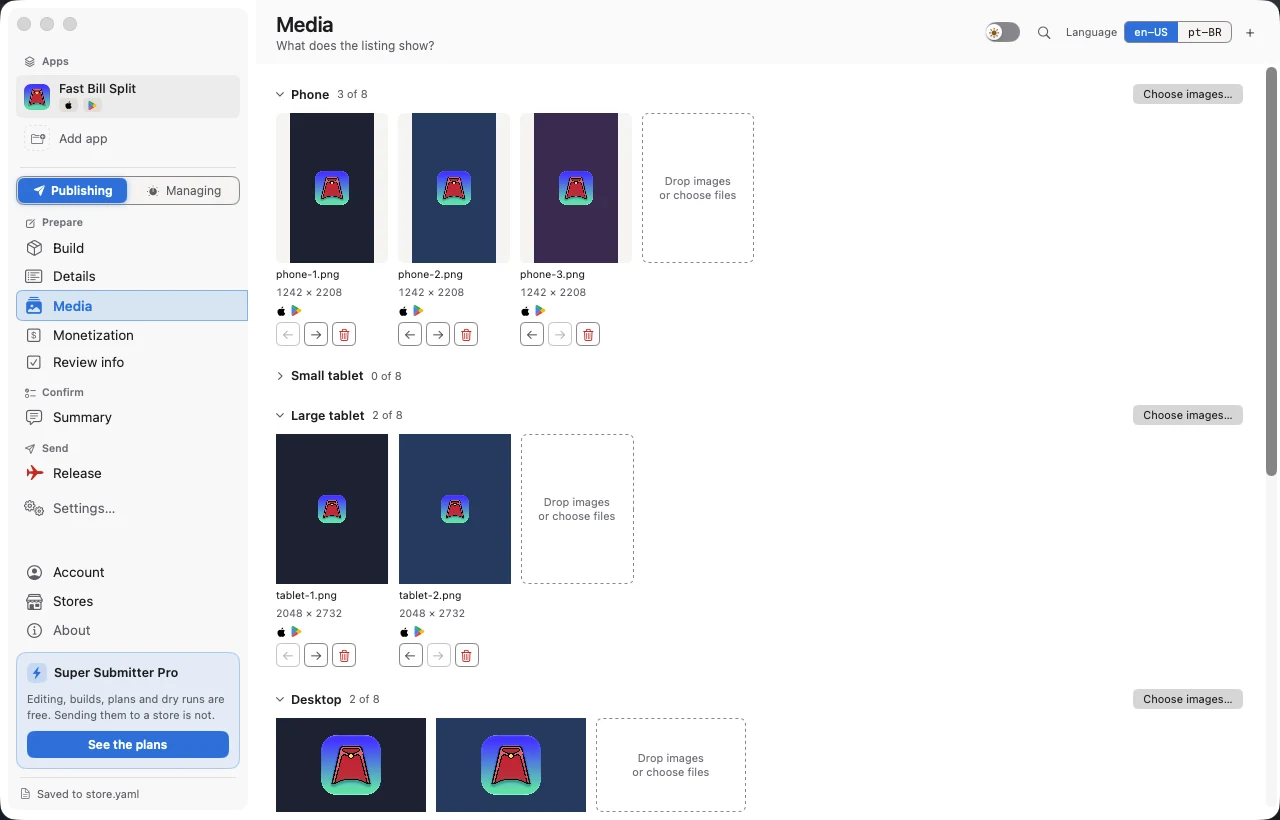
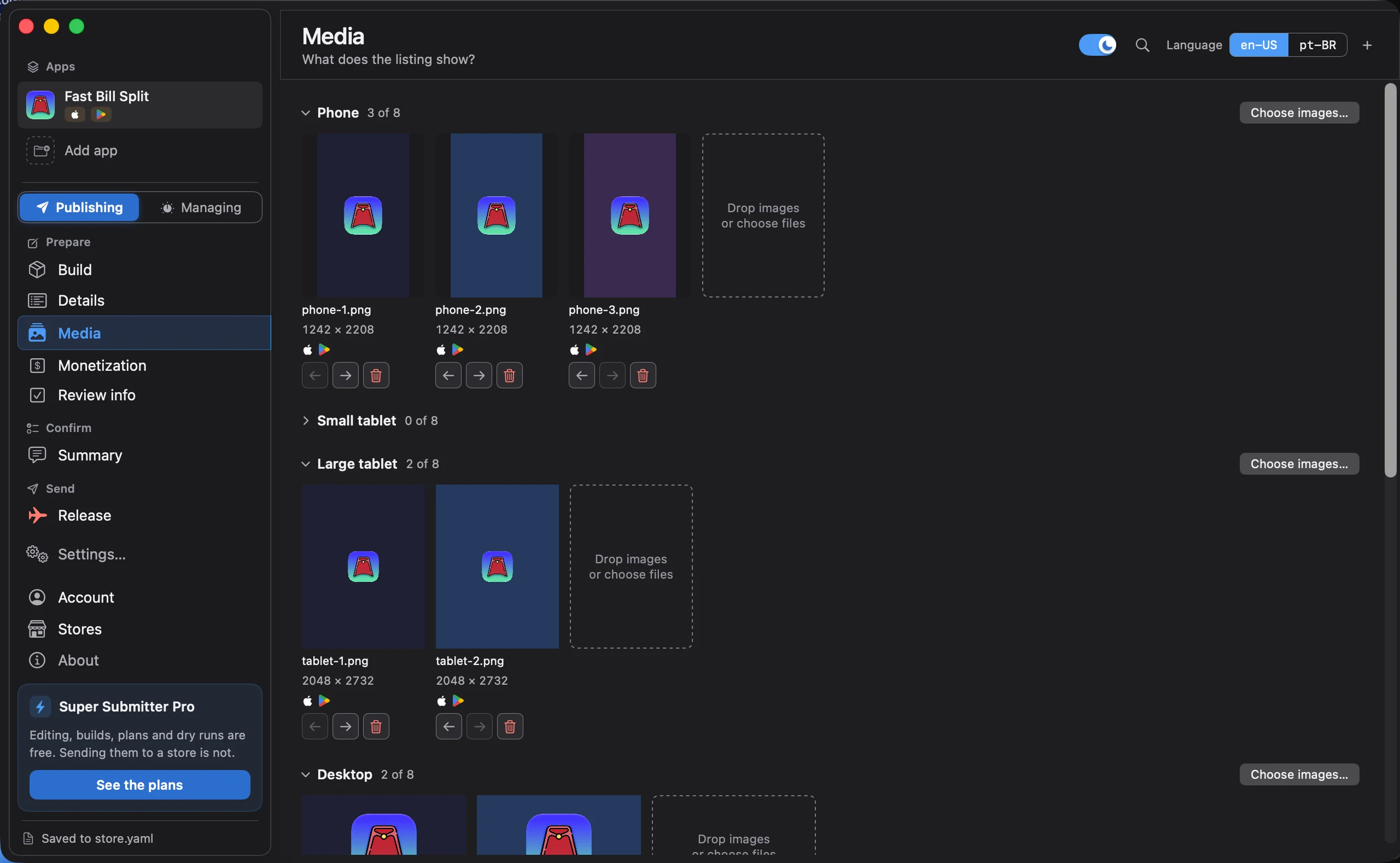
Describe, plan, apply, release
Four steps, in one direction. You decide when the last one happens.
- 1
Describe
once, in the app
You describe your app once. The listing text, the screenshots, the prices, and the review information for both stores, in one place.
- 2
Plan
reads only
The plan reads both stores, compares them to your app, and lists the changes it would make. It writes nothing.
- 3
Apply
writes a draft
Apply sends those changes. What it writes lands in a draft that no customer can see.
- 4
Release
you decide
You press release yourself, in the app, one store at a time.
It knows which limit binds
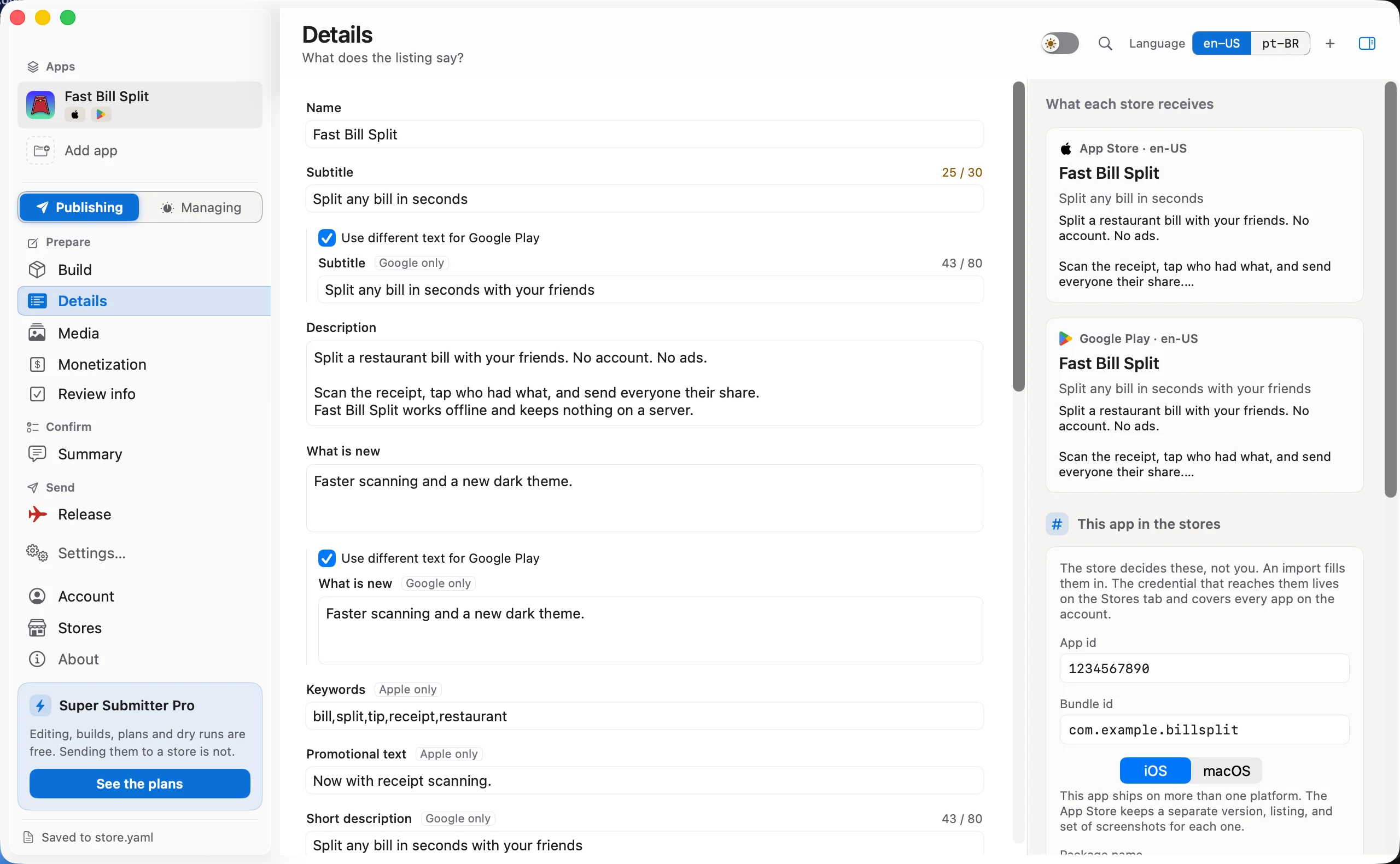
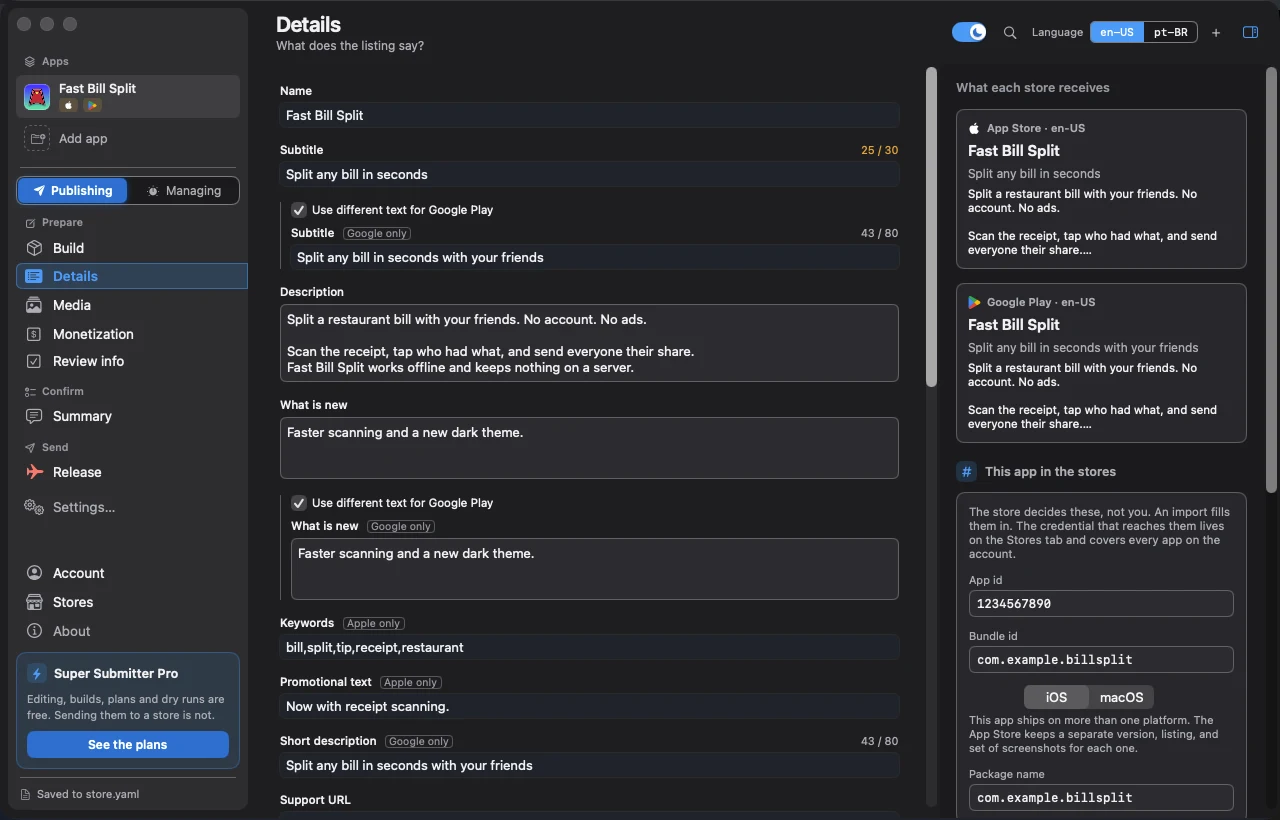
The App Store allows 30 characters for the subtitle. Google Play allows 80 for the short description. One shared value is held to 30, and Super Submitter tells you which store set that limit.
It never truncates your words. You shorten the text, or you add a per-store override. The decision stays yours.
It stops before the store
App Store Connect has no sandbox, so you cannot rehearse a submission. Super Submitter is built around that.
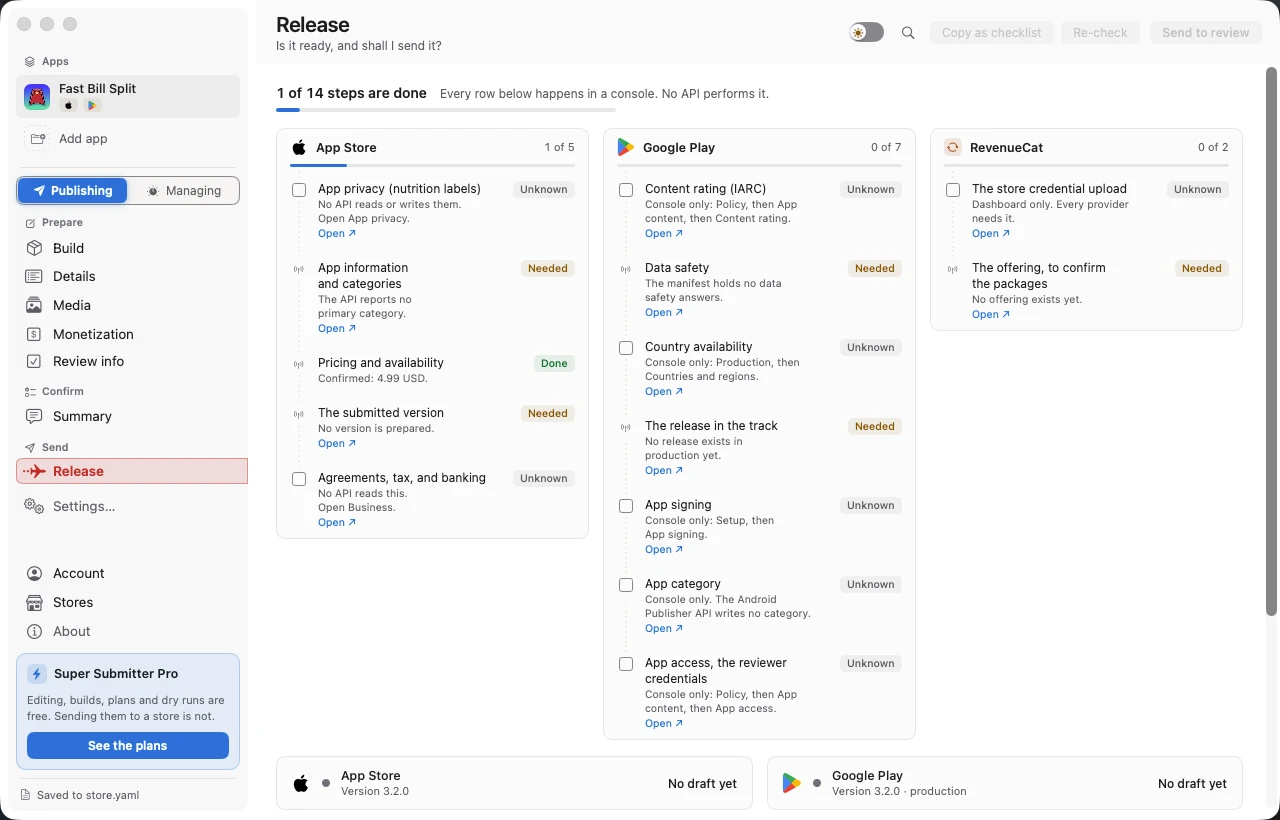
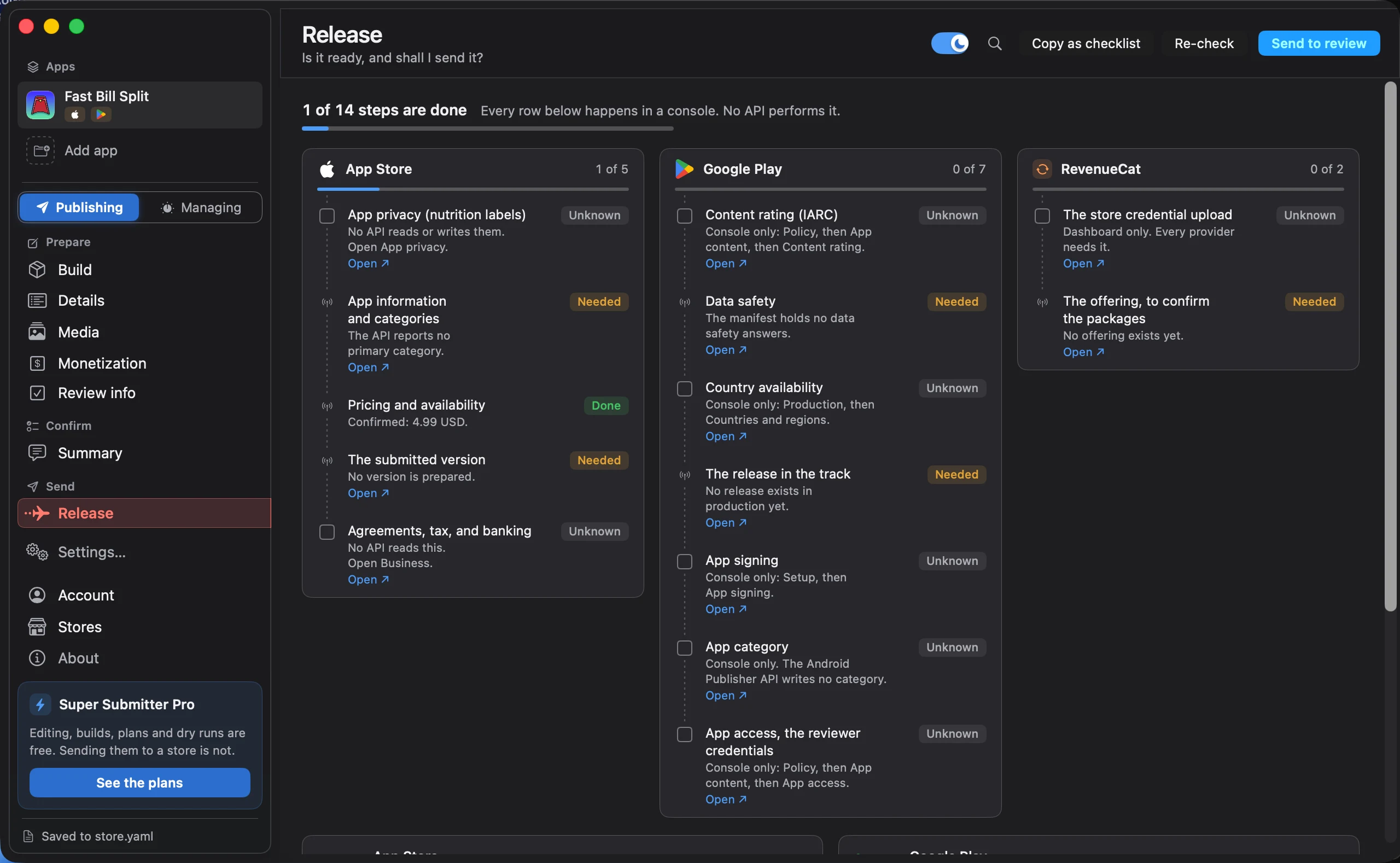
Every write ends in a draft
Nothing reaches a review queue, a store listing, or a user without a separate button press from you.
A new app starts in dry run
It prepares every change, logs it, and sends none. You turn that off yourself, once you have read a plan and agree with it.
One release button per store
You press each one yourself. A failure can never leave one store in review and the other not.
Your keys stay in the Keychain
The Apple key and the Google service account file go to the macOS Keychain. Nothing you commit holds a credential.
Pricing
Everything up to the point of writing to a store is free. You pay for the writing: the applies, the uploads, and the releases.
Free
$0
Set up your app, edit every field, read both stores, and preview a plan.
Monthly
$4.99
Everything in Free, plus the applies, the uploads, and the releases. Billed each month.
Annual
$49.90
The same access as Monthly. Billed once a year.
Lifetime
$449.90
The same access, paid one time.
Prices in US dollars.
Free for indie developers
If you ship your own apps and the price is in the way, you do not have to pay. There is no form to fill in and nothing to prove.
Send me a message on Threads and ask how to get it. I send you a code, you enter it in the app, and you get the full version.
Questions
Does it submit my app for review?
No. What an apply writes lands in a draft that no customer can see. Nothing reaches a review queue or a store listing until you press release, in the app, for one store.
What happens if a run fails halfway?
You run it again. The plan compares both stores before it writes, so the second run only does the part that did not land.
Where do my keys live?
In the macOS Keychain. The Apple key and the Google service account file go straight there and never enter your repository.
Do I need Xcode installed?
Only to build. Super Submitter reads a finished build with the tools every Mac already has. If you want it to build the binary too, it runs your own project's build commands.
Where does my app data go?
It stays on your machine. Super Submitter talks to Apple and Google directly, and the stores hold the state. You sign in only to buy a plan or to restore one.
Why is it not on the Mac App Store?
It runs your build tools and reads files across your disk, which the sandbox does not allow. So it ships as a Developer ID signed and notarized download, and it updates itself.
We prepare a draft. You press release.
macOS 14 or later. Apple silicon and Intel. Developer ID signed and notarized.